[ Context ]
One platform for both sides of a freight deal
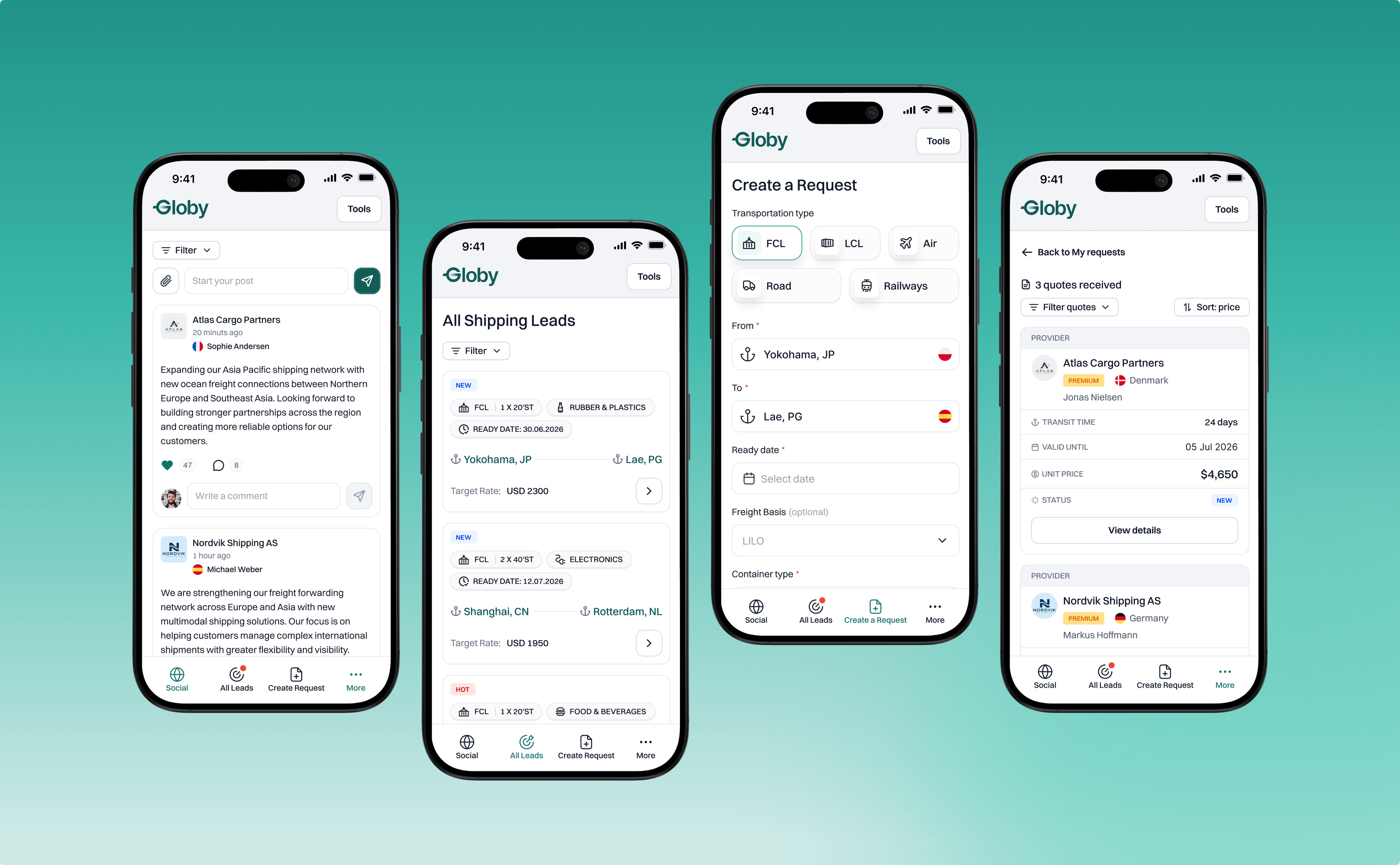
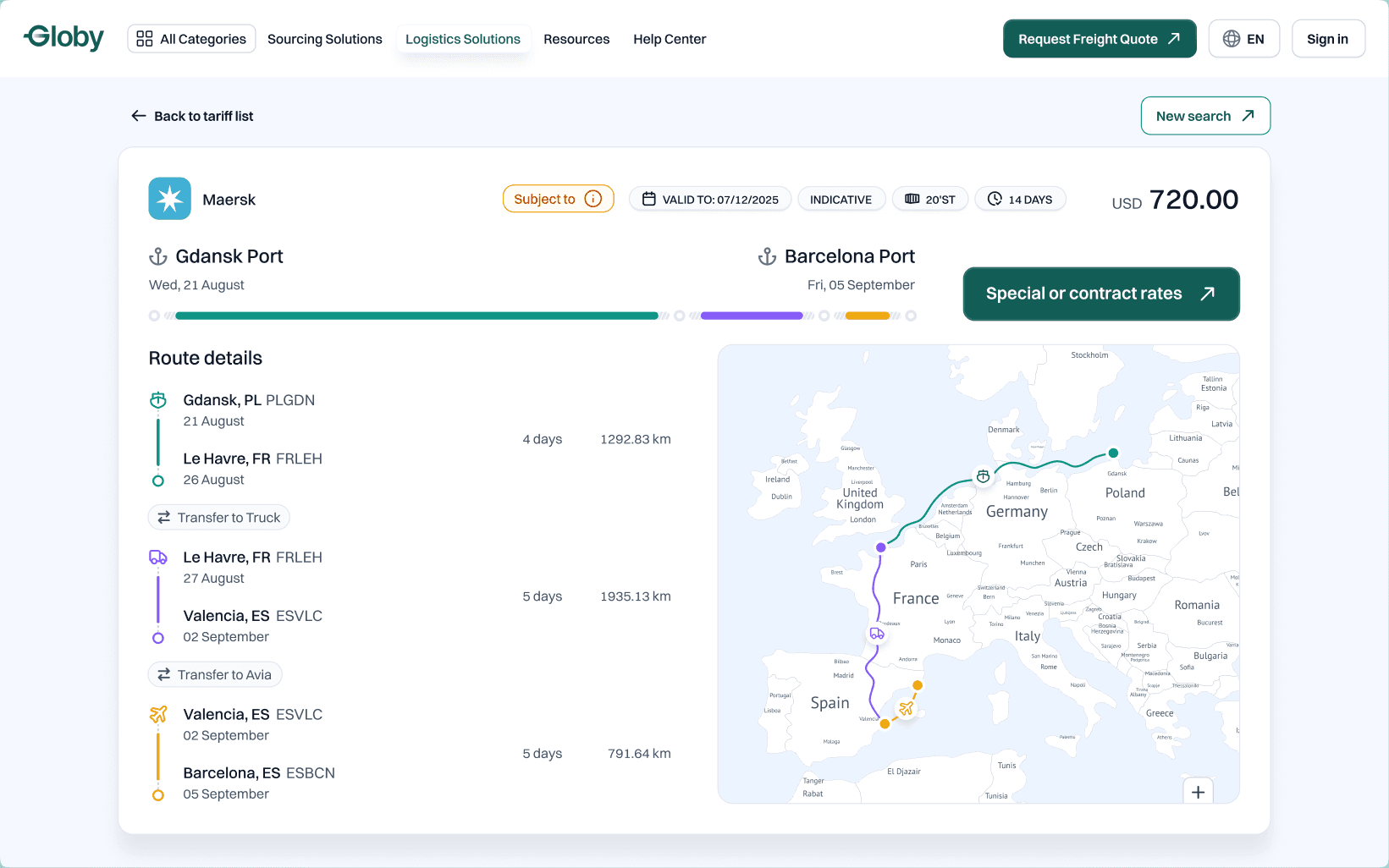
Globy is a B2B marketplace for global wholesale trade, with about 60,000 traders in 120 countries. Globy Logistics is its closed network where freight forwarders request quotes for their own cargo and quote on each other's. I designed the whole product, 300+ screens for desktop and mobile, from the first request to pre-booking.
Challenge and solution
- Two roles in one account: the same company is a customer, then a provider. Solution: three workspaces, Community, Inbox and Outbox.
- One deal, two sides: a request becomes a quote, then a pre-booking, each on the other side. Solution: one shared status that both sides see.
- Five access levels on the same screens: free users must still see value. Solution: locked states show value instead of hiding it.
- Five transport modes, one form: each mode needs different cargo data. Solution: one request form that rebuilds itself for each mode.
Outcome. Release 1.0 is live on desktop and mobile: 300+ screens handed off, two complete flows joined by one deal, and a public landing page.
[ Users ]
Two roles in every company, and five access levels on top
- Customer (Outbox). I want to publish one request and compare all quotes side by side, so I can pre-book the best rate.
- Provider (Inbox). I want to see new leads on my lanes and quote them fast, so I win the deal before competitors.
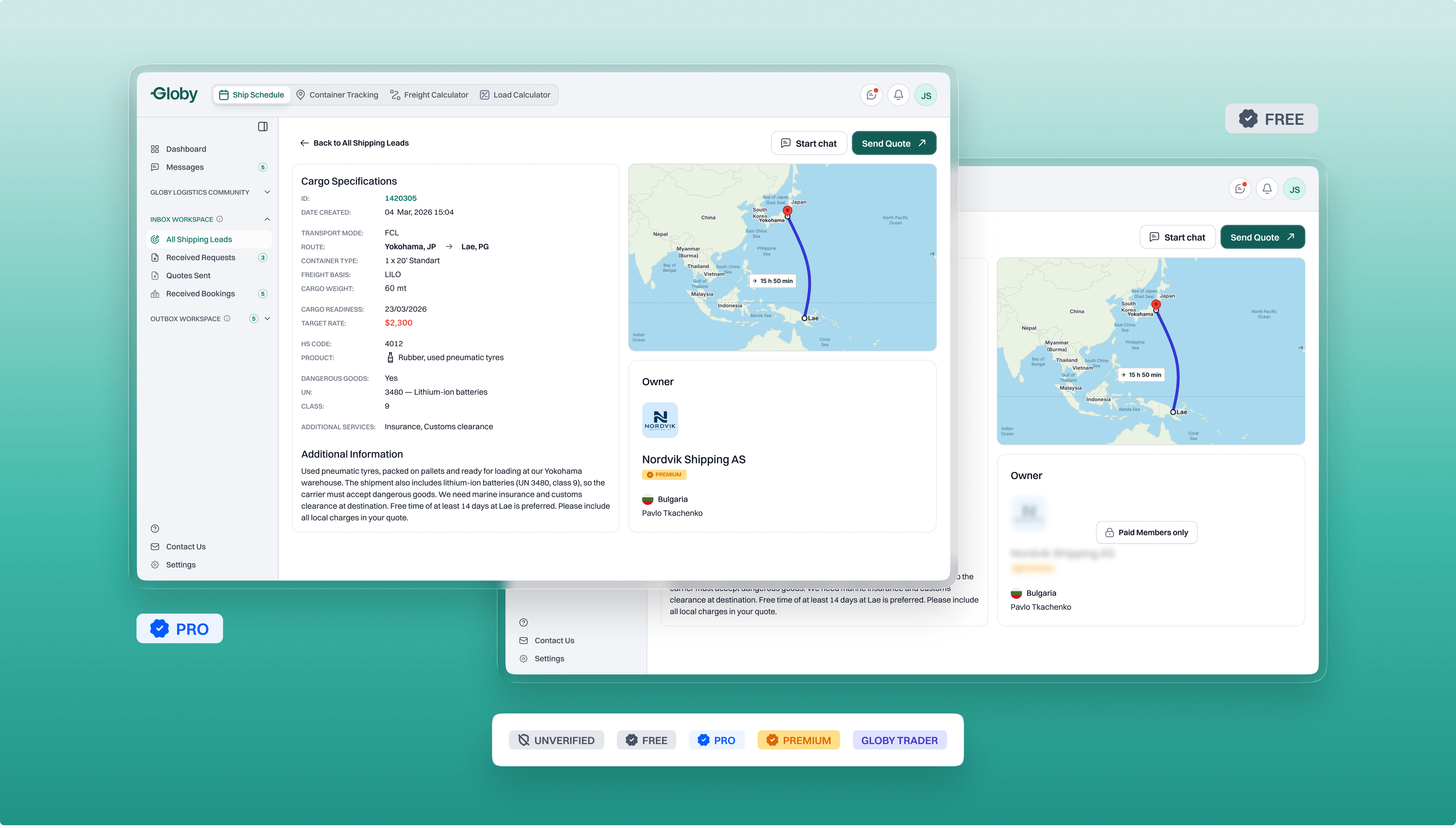
Five access levels
- Unverified: KYB pending, sees the platform, every action locked.
- Free: KYB approved, acts within monthly limits, lead owners blurred.
- PRO: paid plan, full access, owner profiles open.
- Premium: paid, by invite, PRO plus Hot leads from Globy traders.
- Globy Trader: buyer or supplier from Globy.com, customer side only.
[ Product map ]
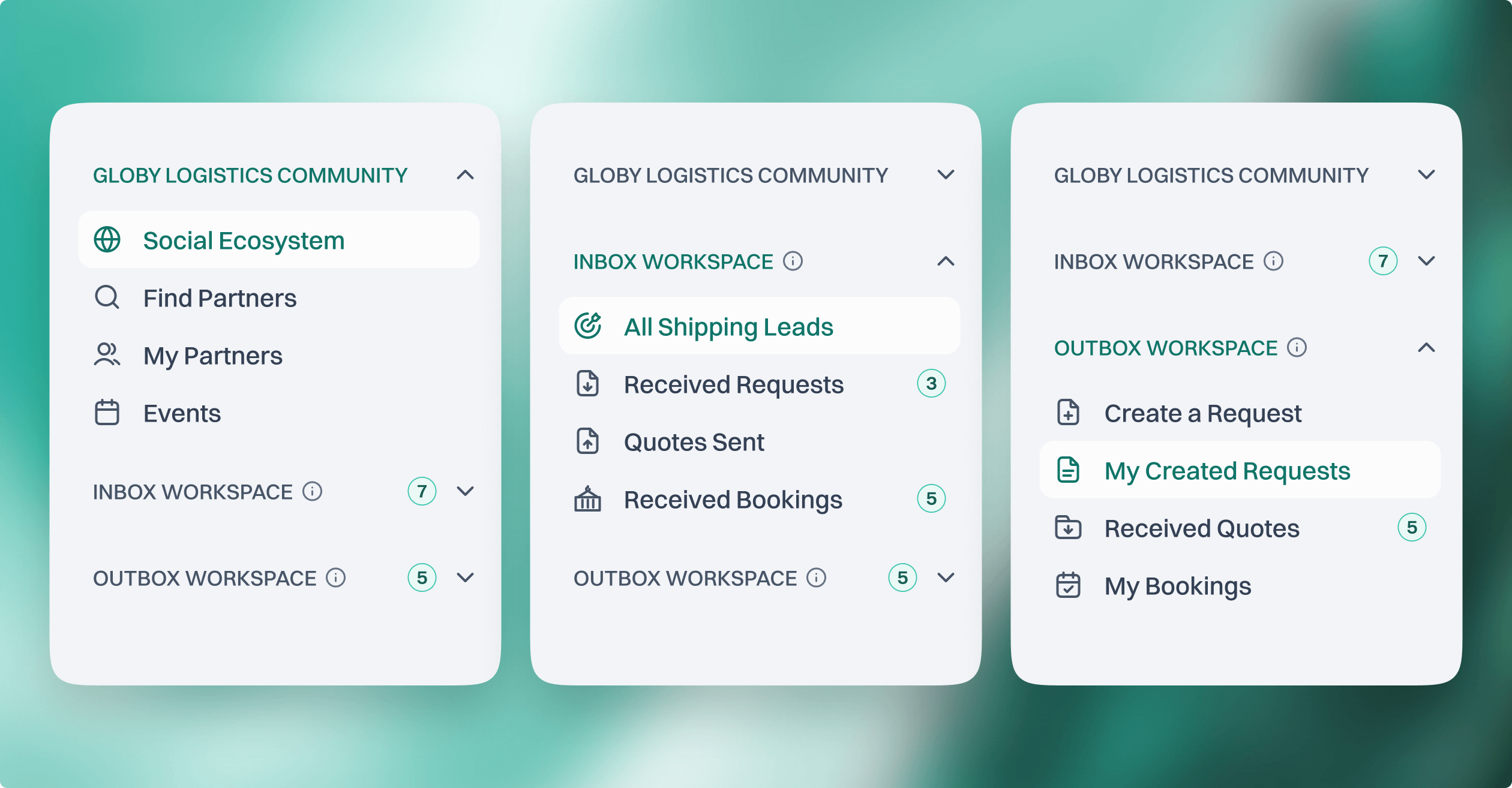
Three workspaces, one account
Everything a user does fits into three workspaces. Only one is open at a time, and each opens on its main page.
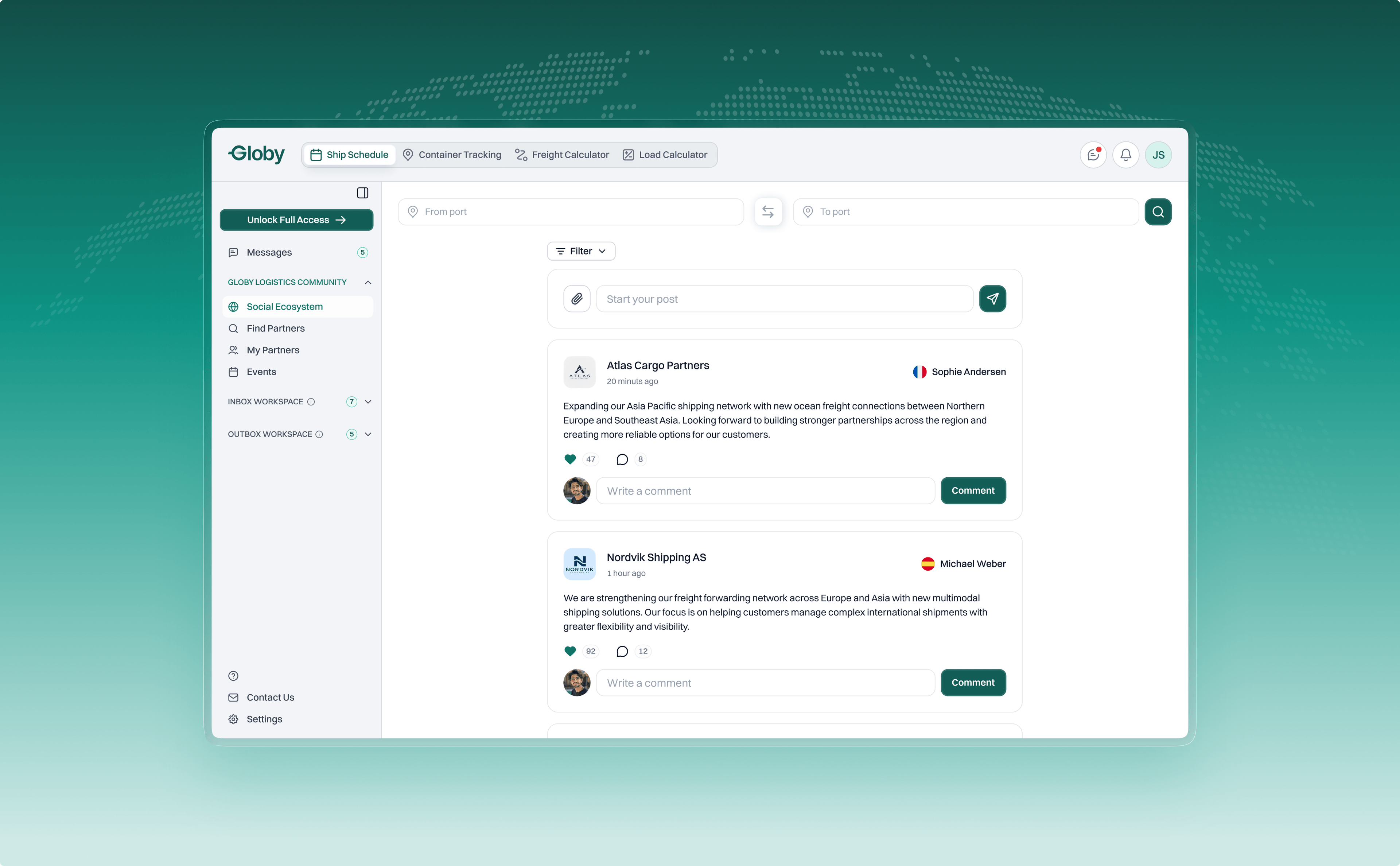
- Logistics Community is where companies meet: the social feed, partners, events and messages.
- Inbox Workspace is the provider's desk: all shipping leads, received requests, quotes sent and received bookings.
- Outbox Workspace is the customer's desk: create a request, my created requests, received quotes and my bookings.
[ How the roles meet ]
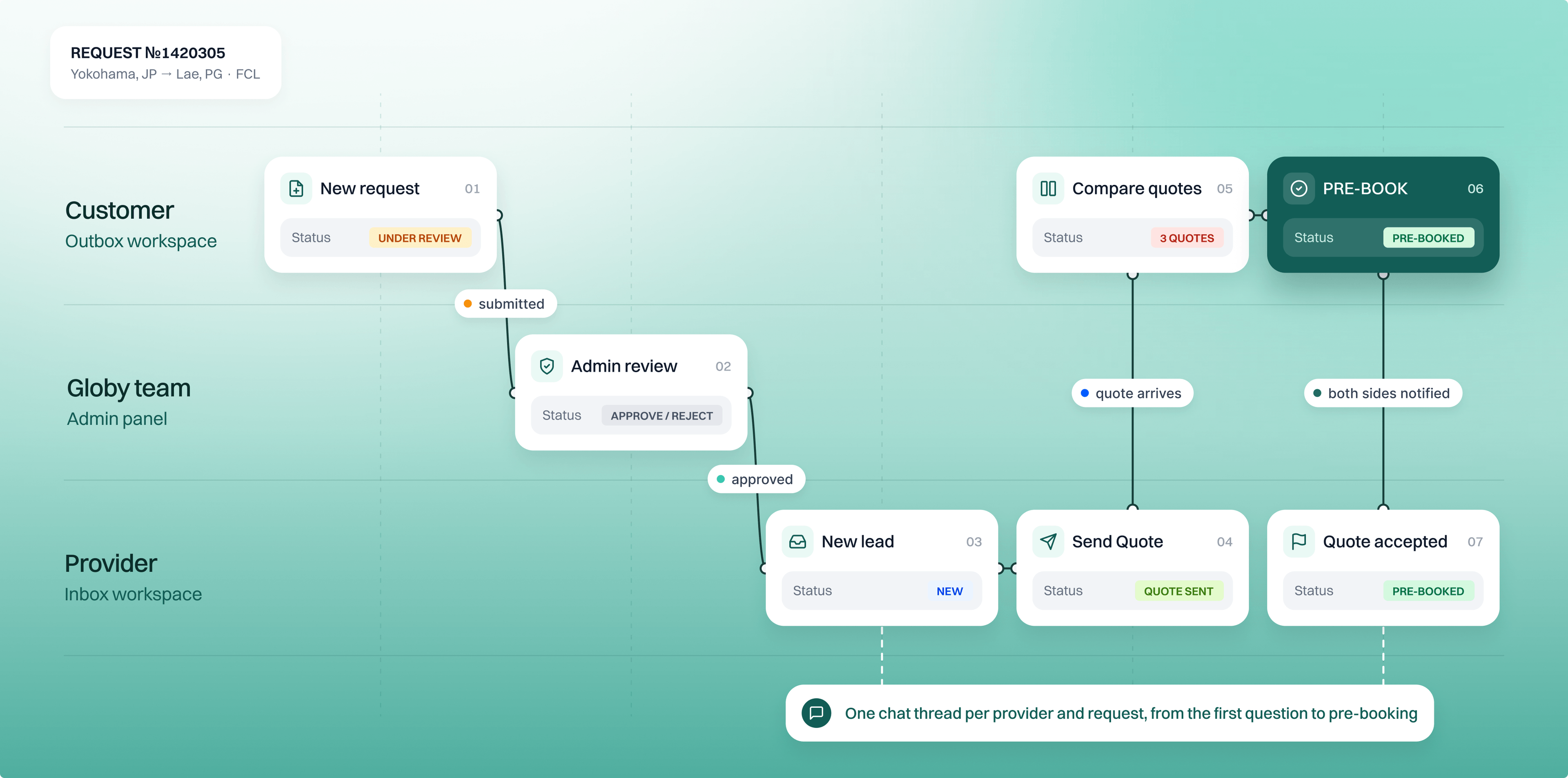
One deal, two sides, one shared status
Both flows are two halves of one deal
The customer starts it, the Globy team checks it, the provider answers, and the customer decides. The same event changes a badge on both sides at once, so nobody has to ask "did they see my quote?".
[ Customer flow ]
From cargo to pre-booking in seven screens
The problem
A forwarder has cargo to move and needs the best rate. A request collects quotes over days, from many providers.
The solution
One form that rebuilds itself for each transport mode, one deliberate pause before publishing, and a list that works like an inbox. Quotes are compared in place, and the original request stays in view on every decision screen.
Every screen answers one question: what do I do next?
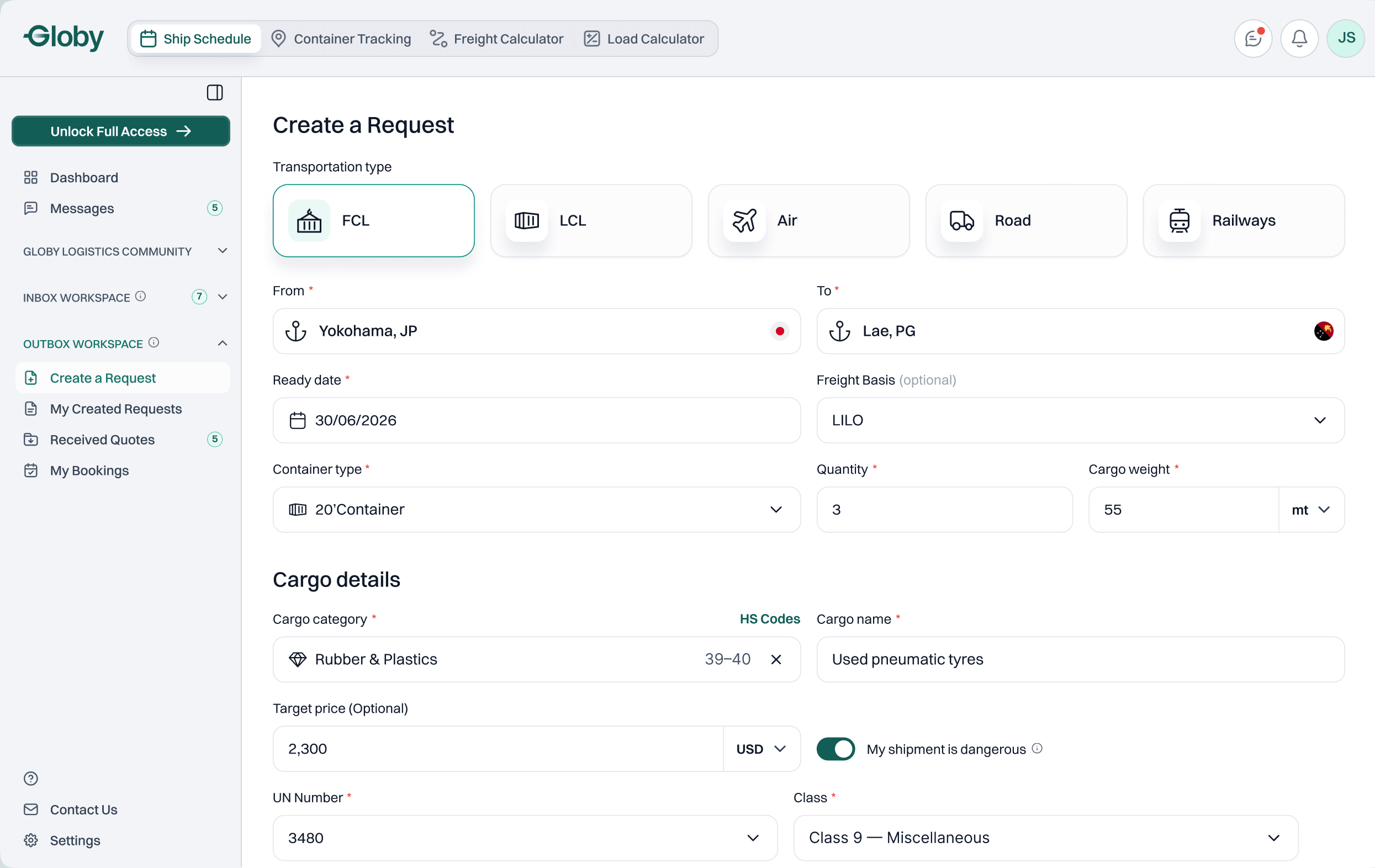
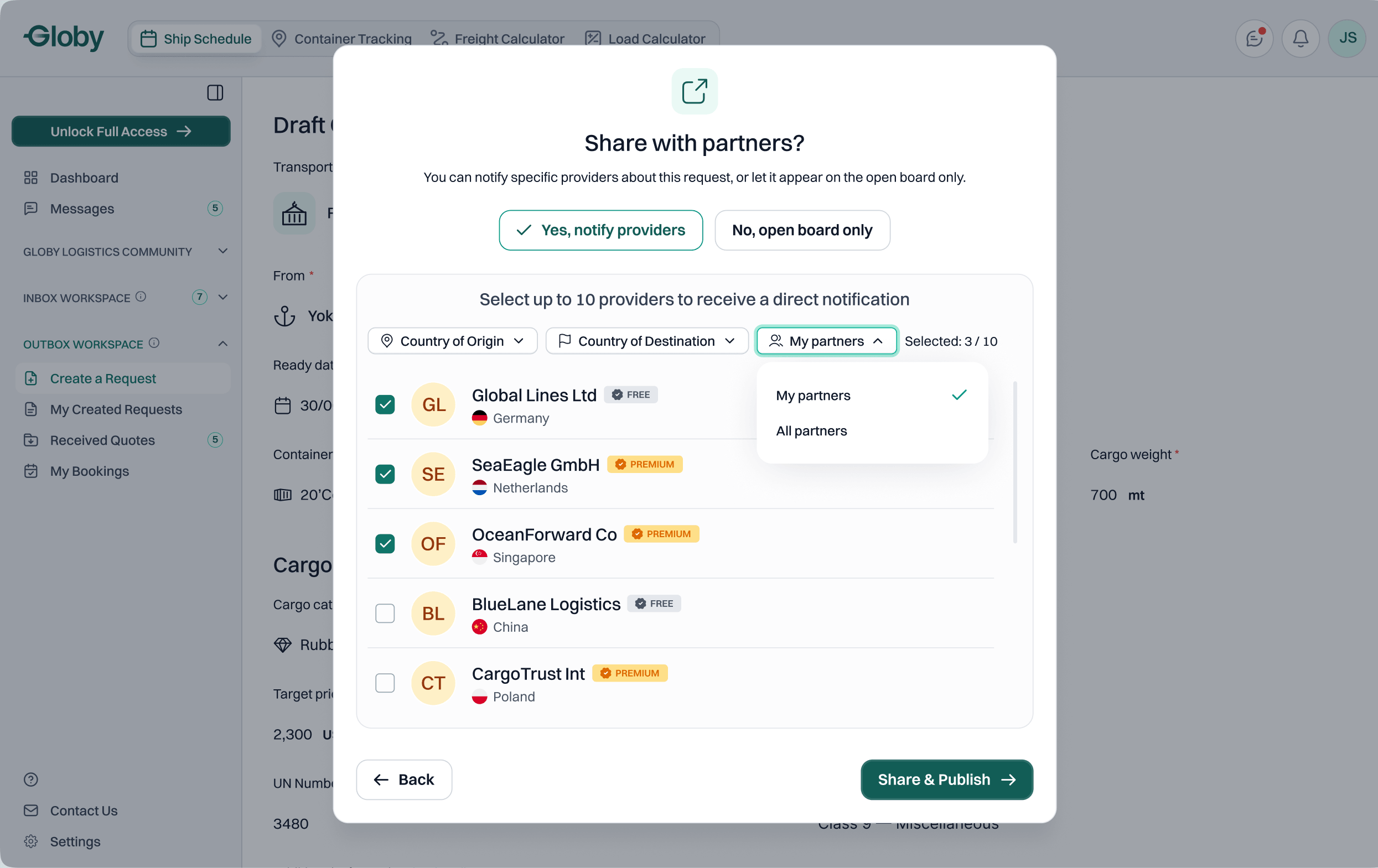
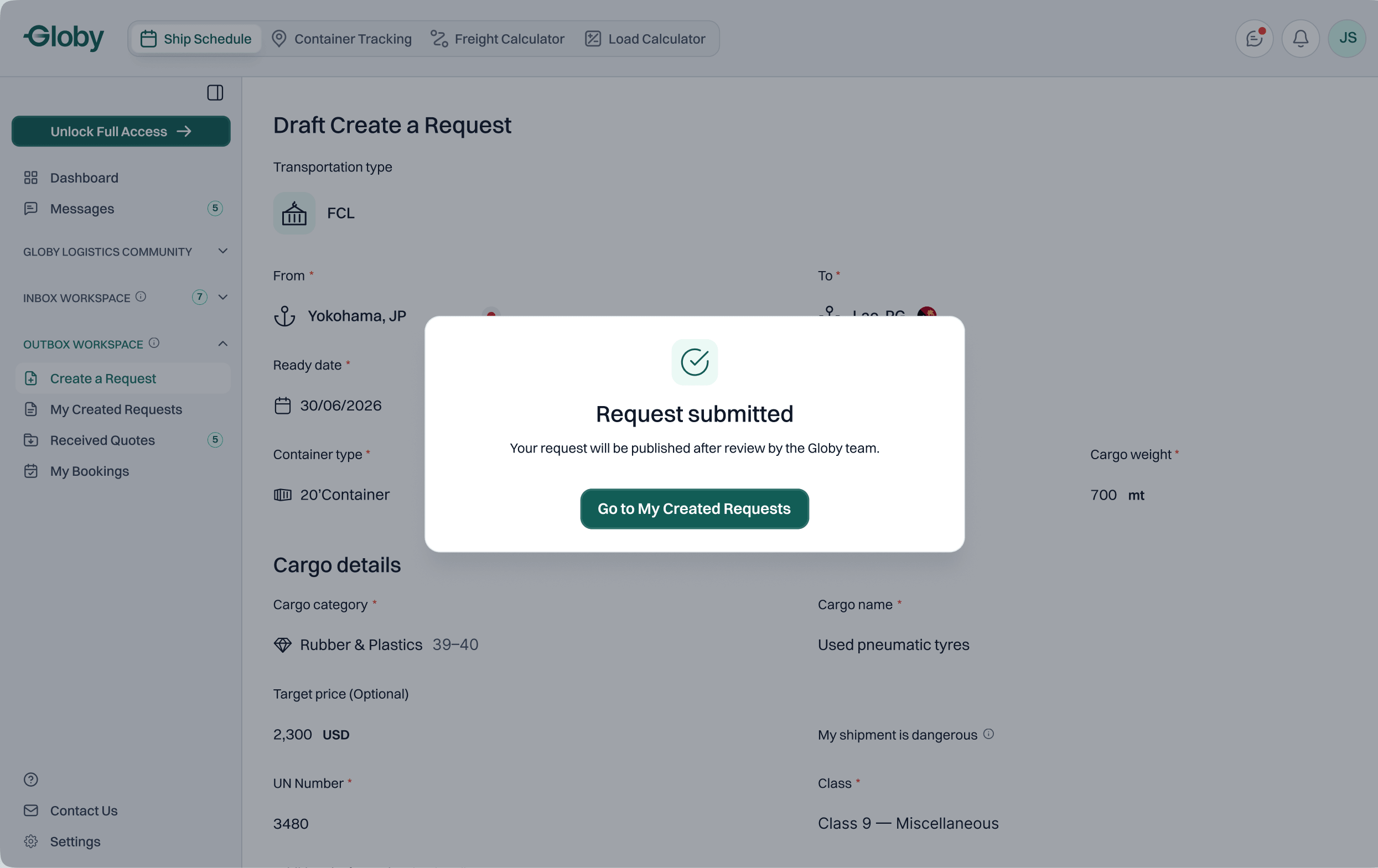
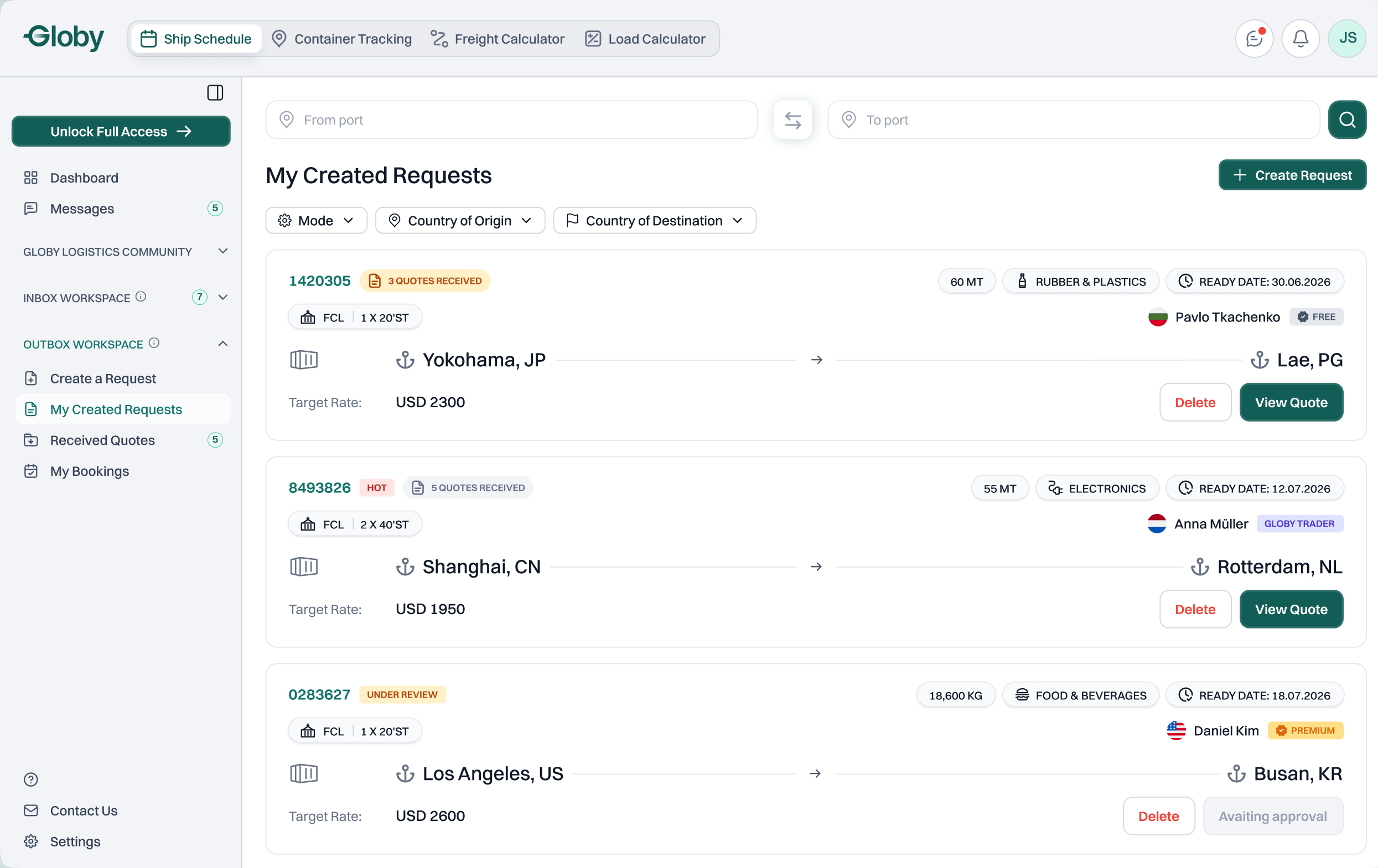
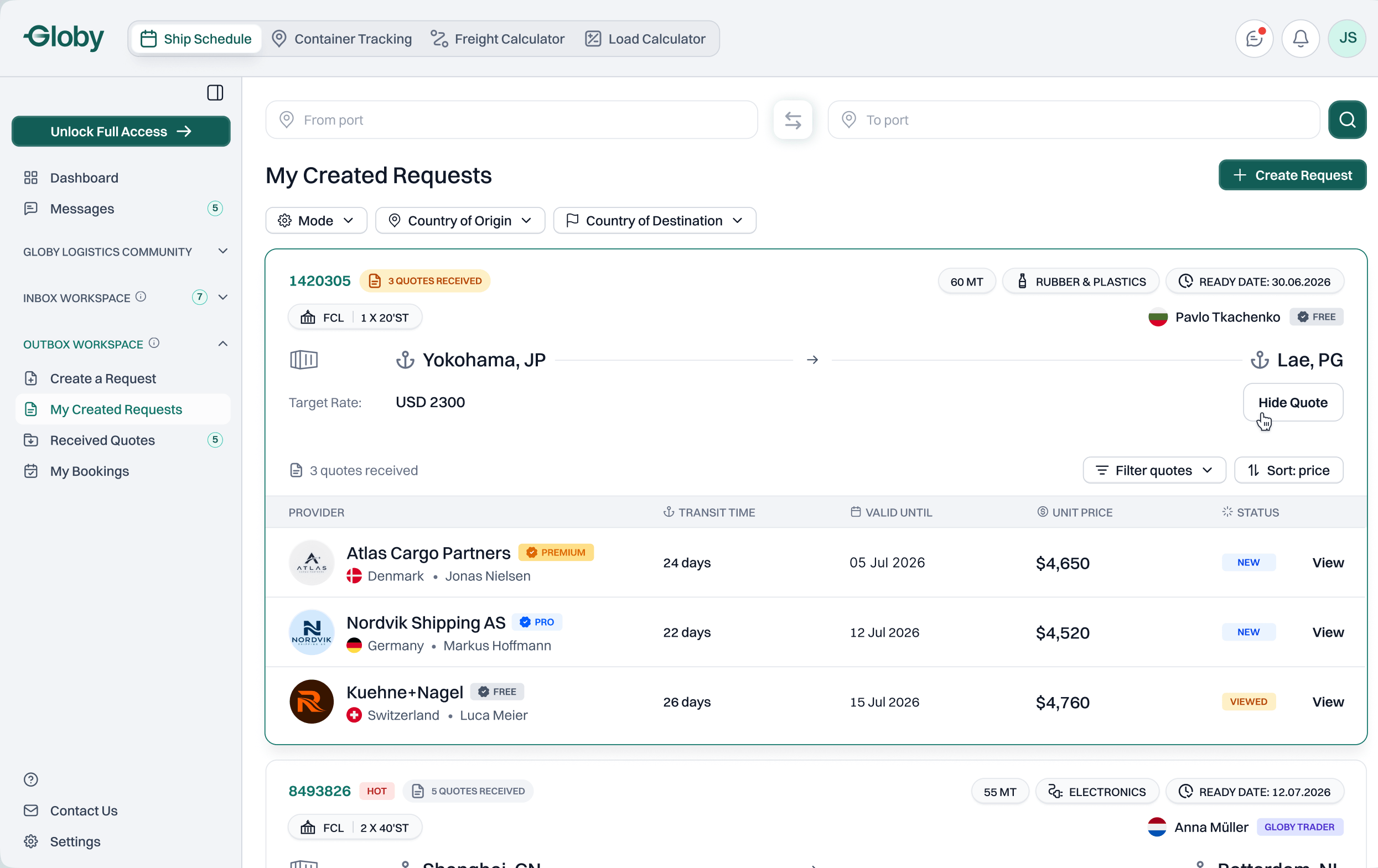
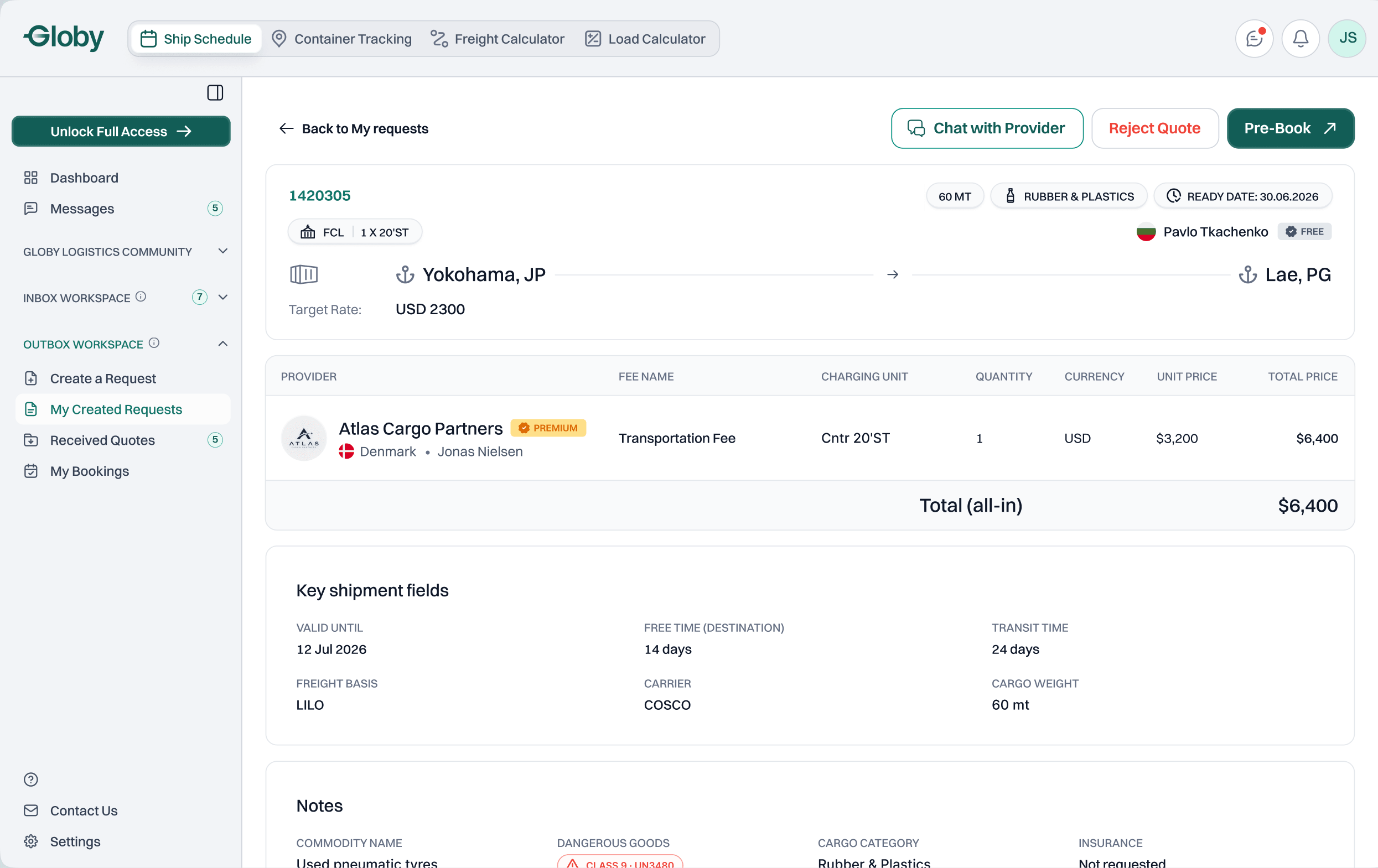
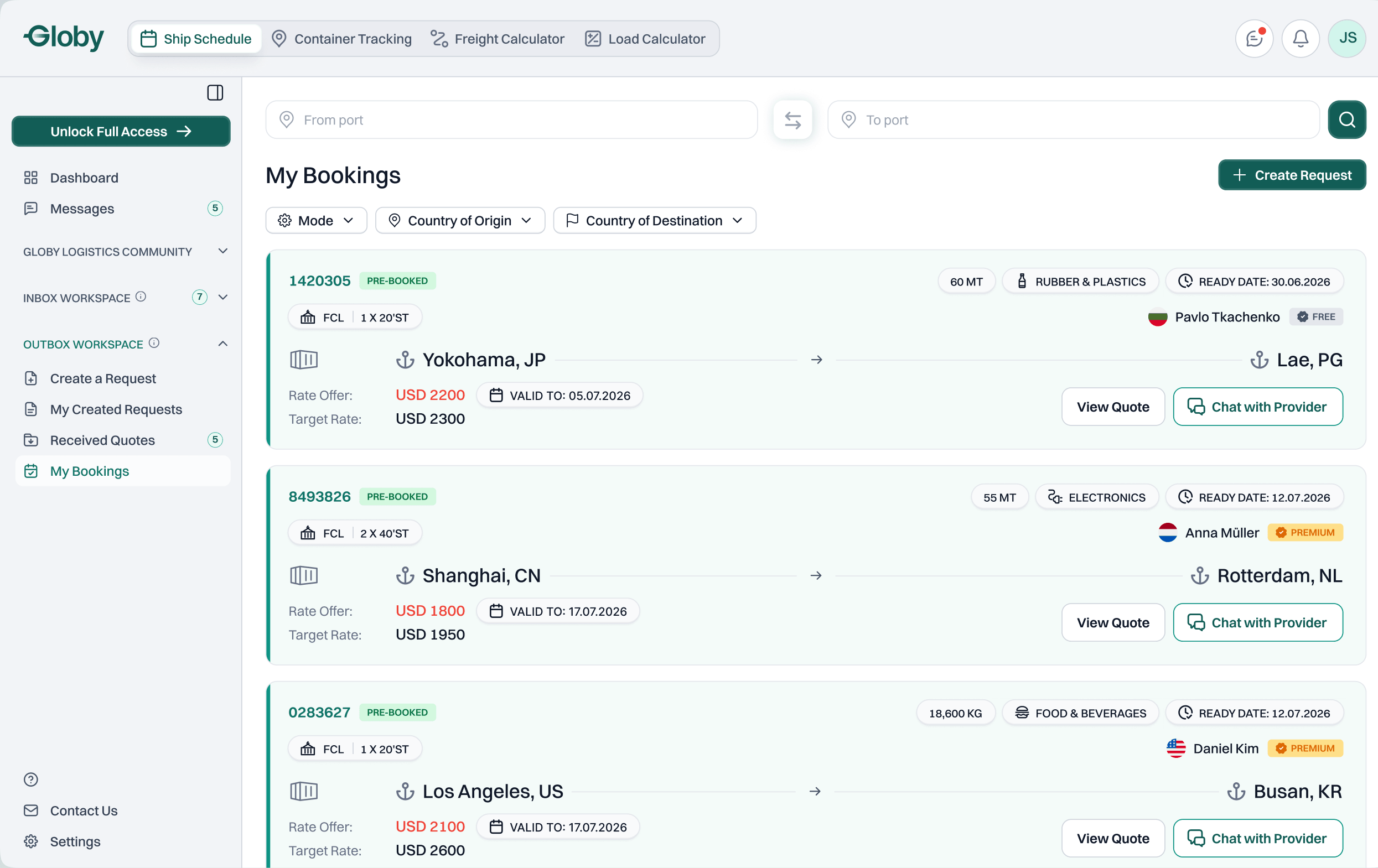
Customer flow
Seven screens from a new request to a pre‑booking. Each one shows where the deal stands and what to do next.
01Create a Request
Pick the transport type first. One form adapts to all five.
[ Provider flow ]
From lead to pre-booked deal
The problem
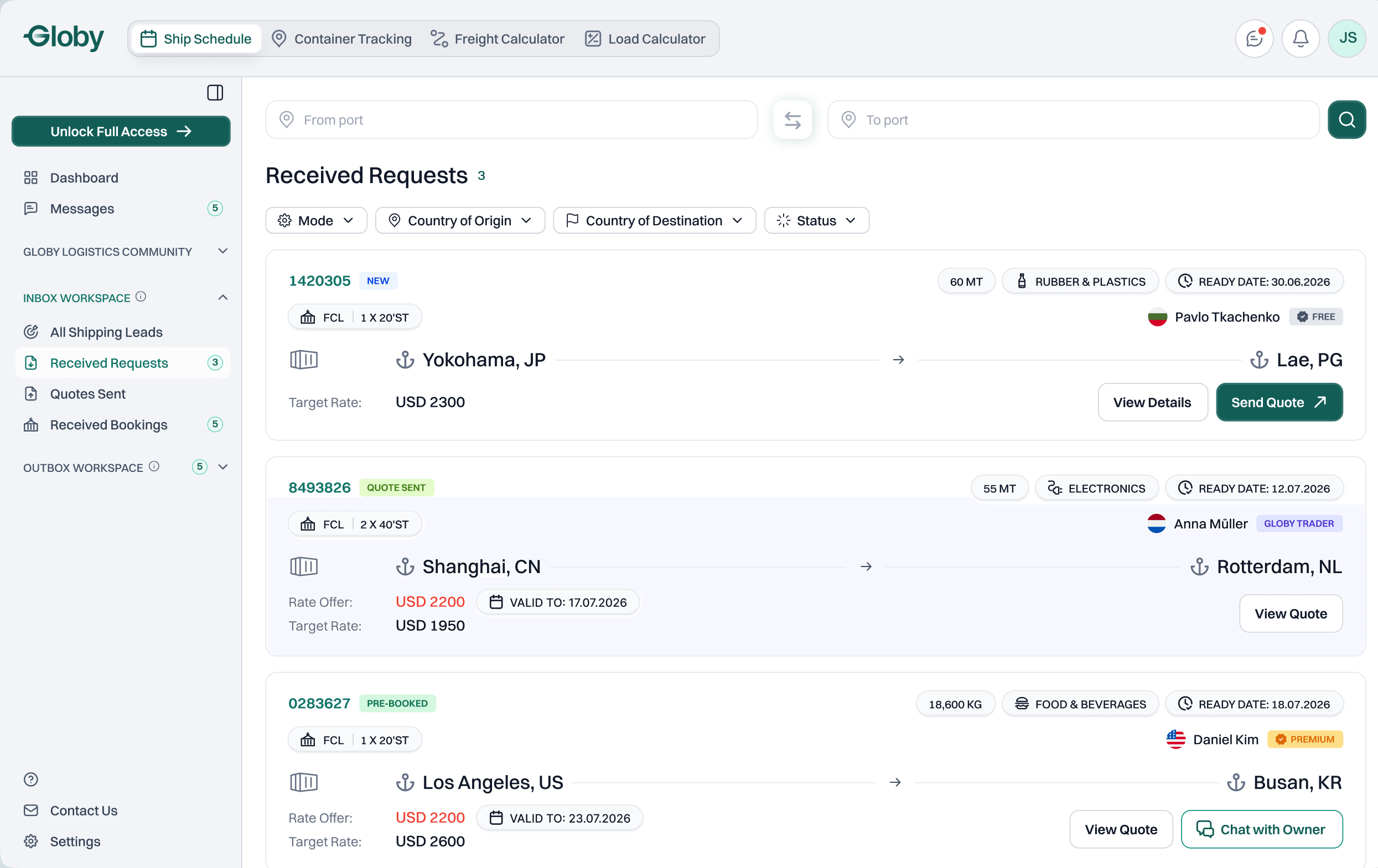
A forwarder looks for cargo to carry, and speed wins. The provider has to judge a lead in seconds, quote before competitors, and know what the customer did with the offer.
The solution
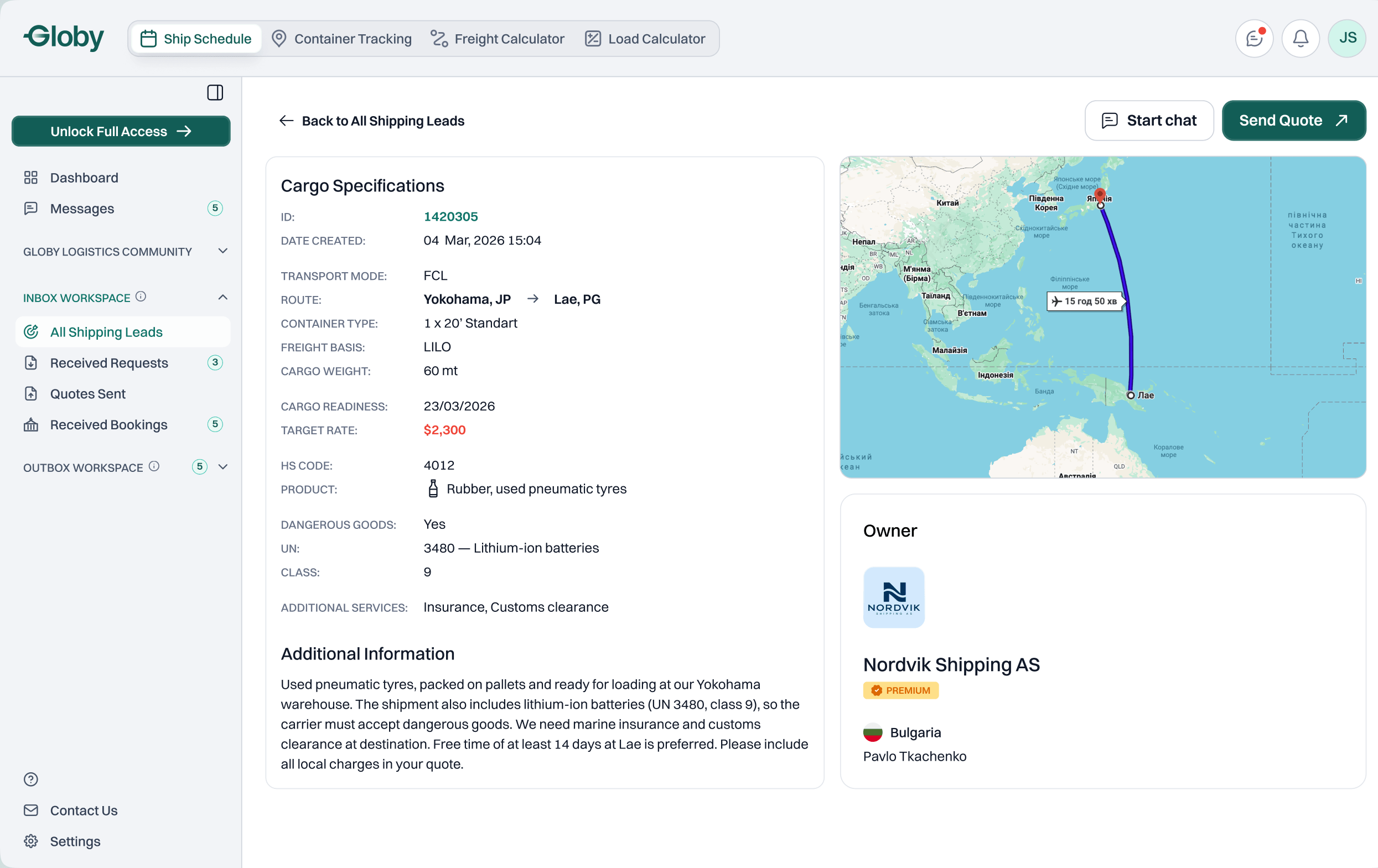
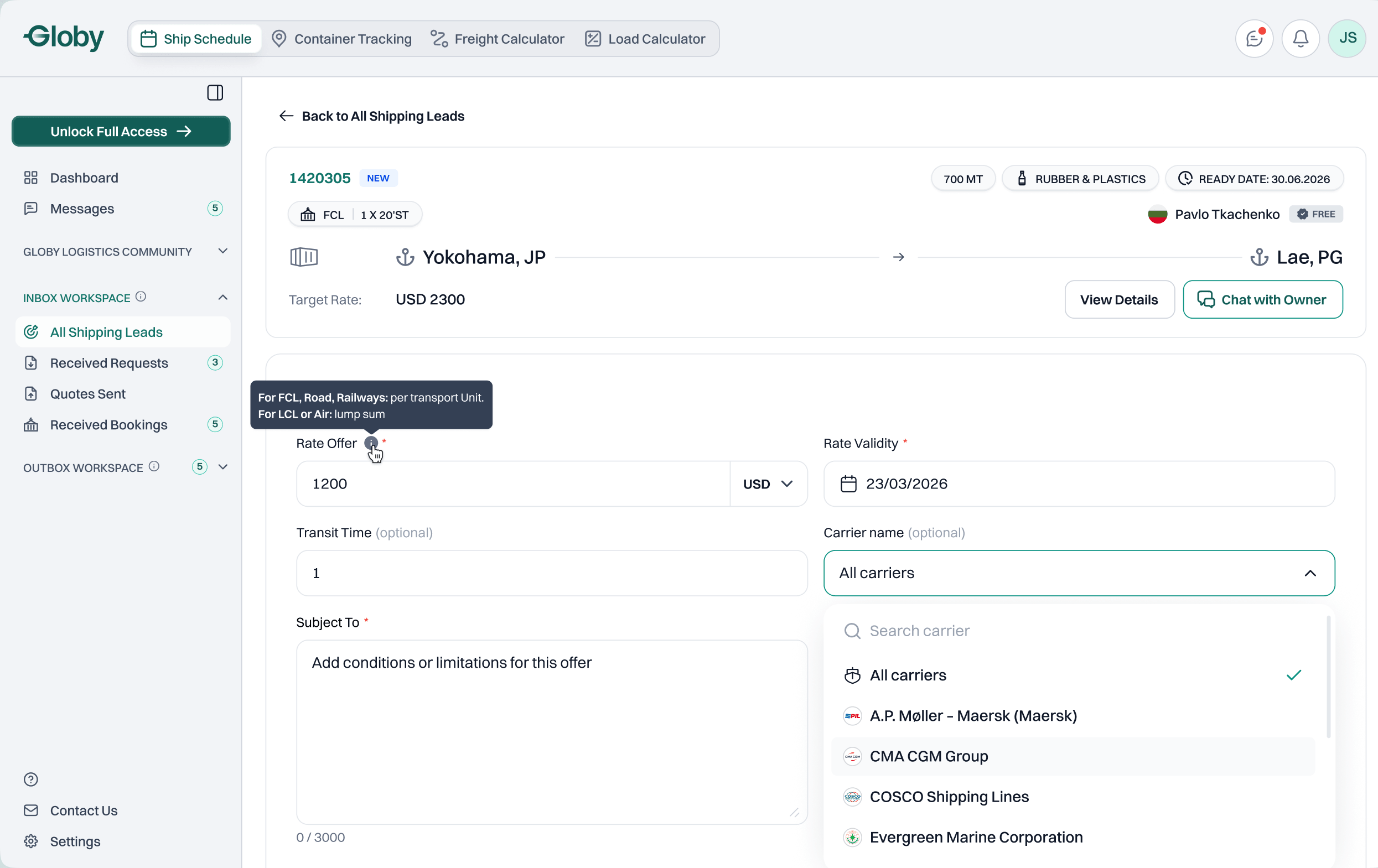
One lead card for both ways in, with the deciding data first. The request stays on screen while quoting, and statuses show what the customer did. Locked states show value to free users instead of hiding it.
A locked state is a sales moment, not a dead end.
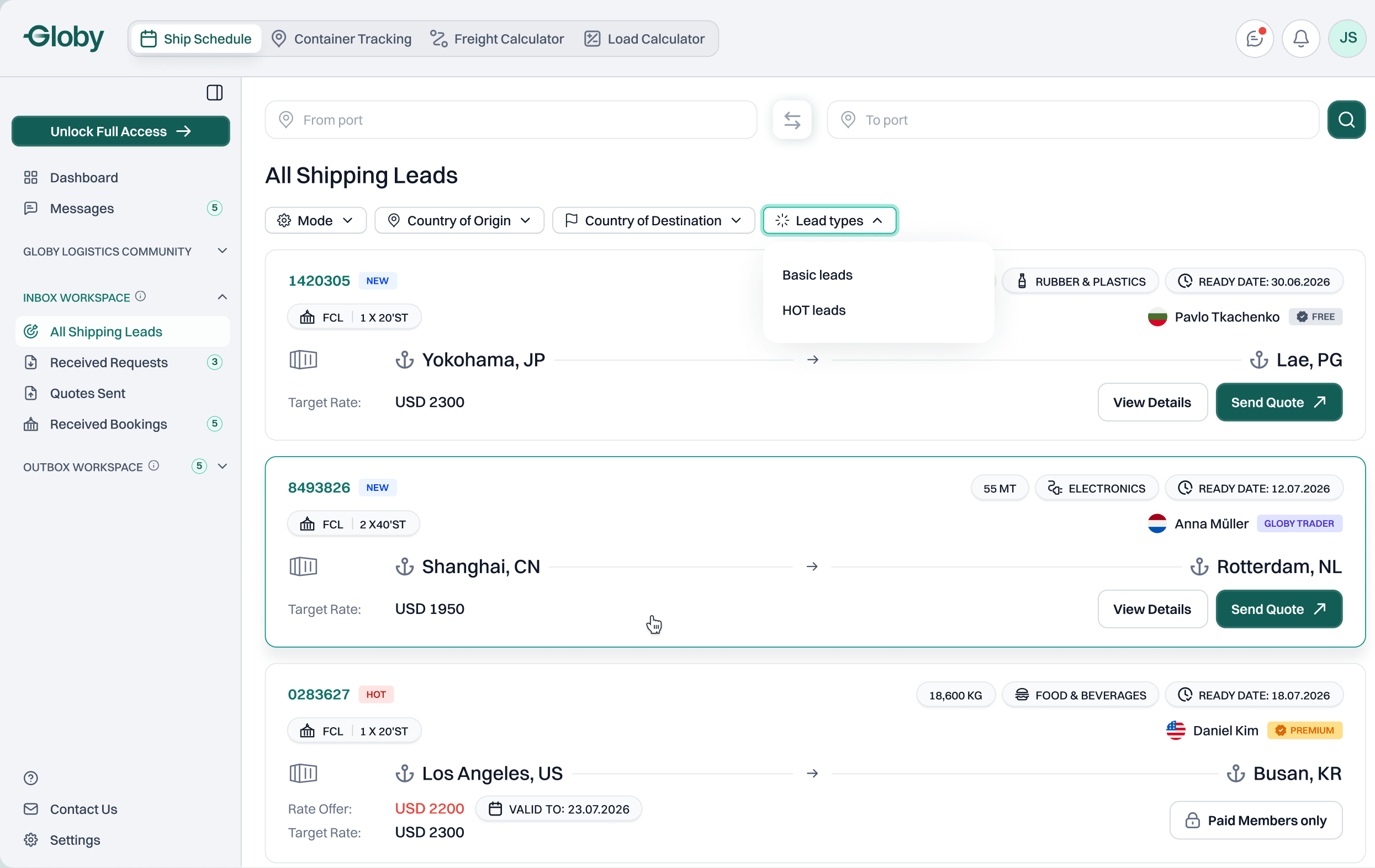
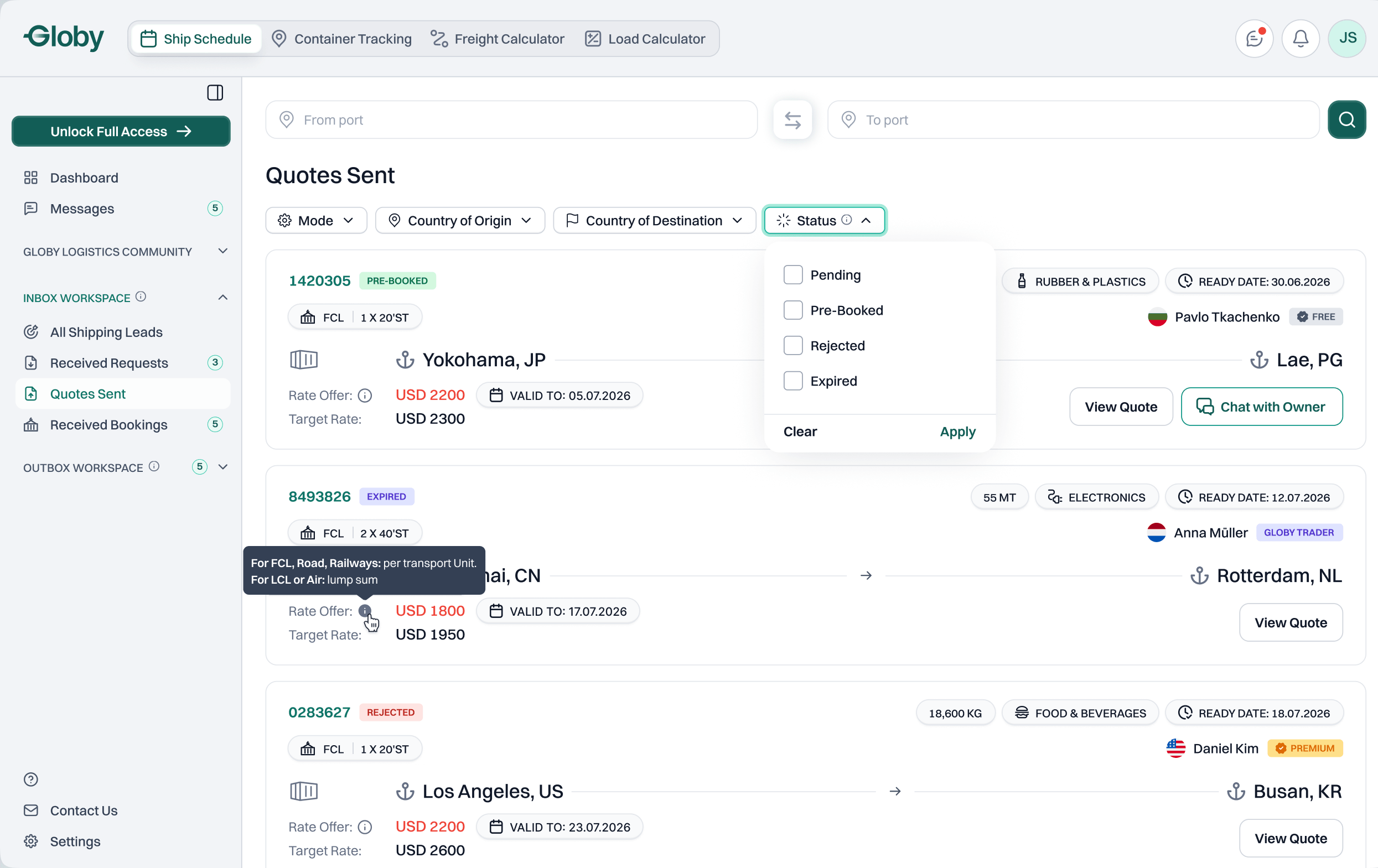
Provider flow
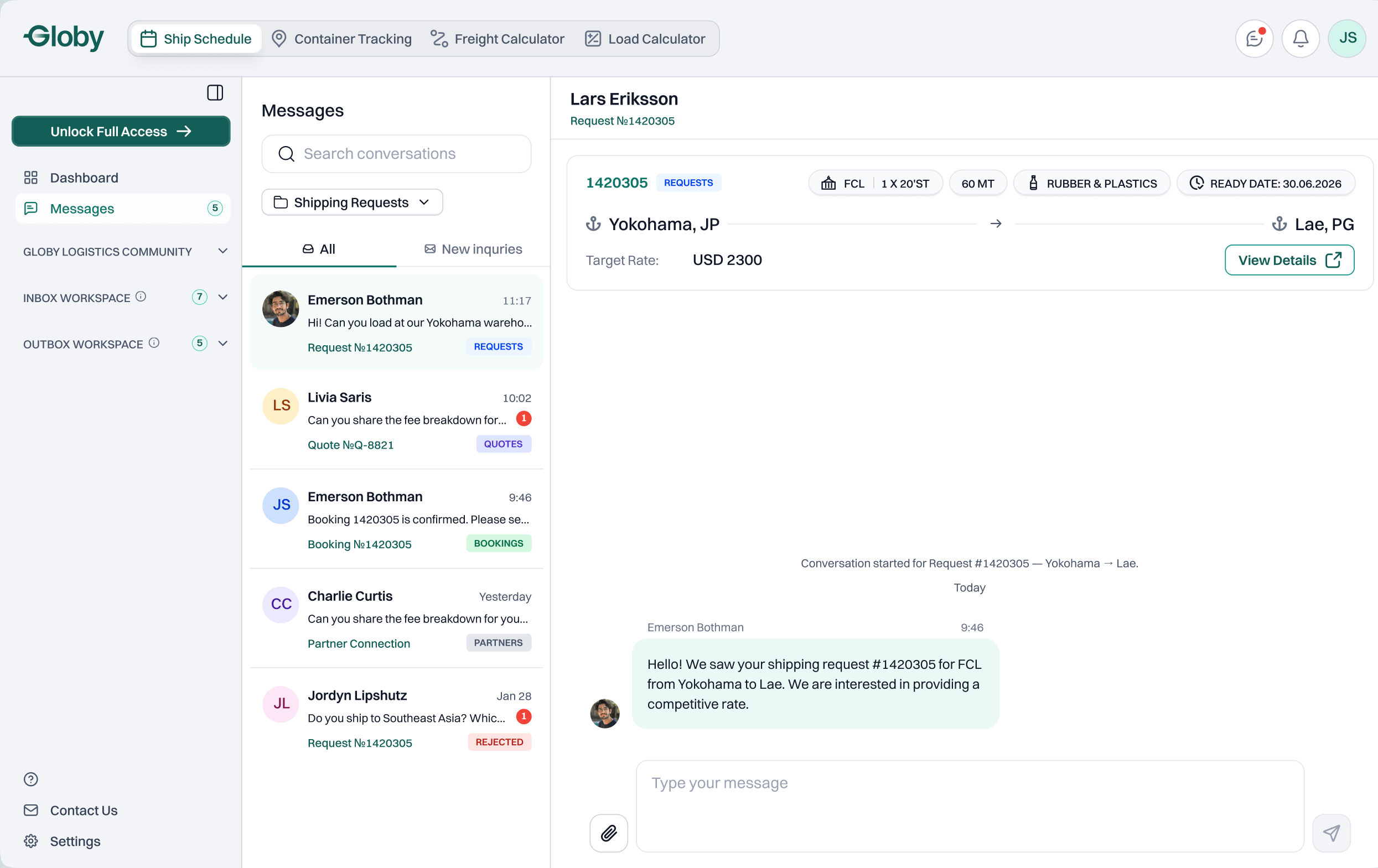
Two ways in, one quote, and the customer decides. Every step shows the same deal from the provider's side.
01All Shipping Leads
Route, cargo, date and rate first, so a lead is judged at a glance.
[ Community ]
Trust comes before the first quote
Globy is a closed network, so every deal depends on knowing who is on the other side. Globy Logistics Community is where companies get to know each other, and it is the first page users see after login.
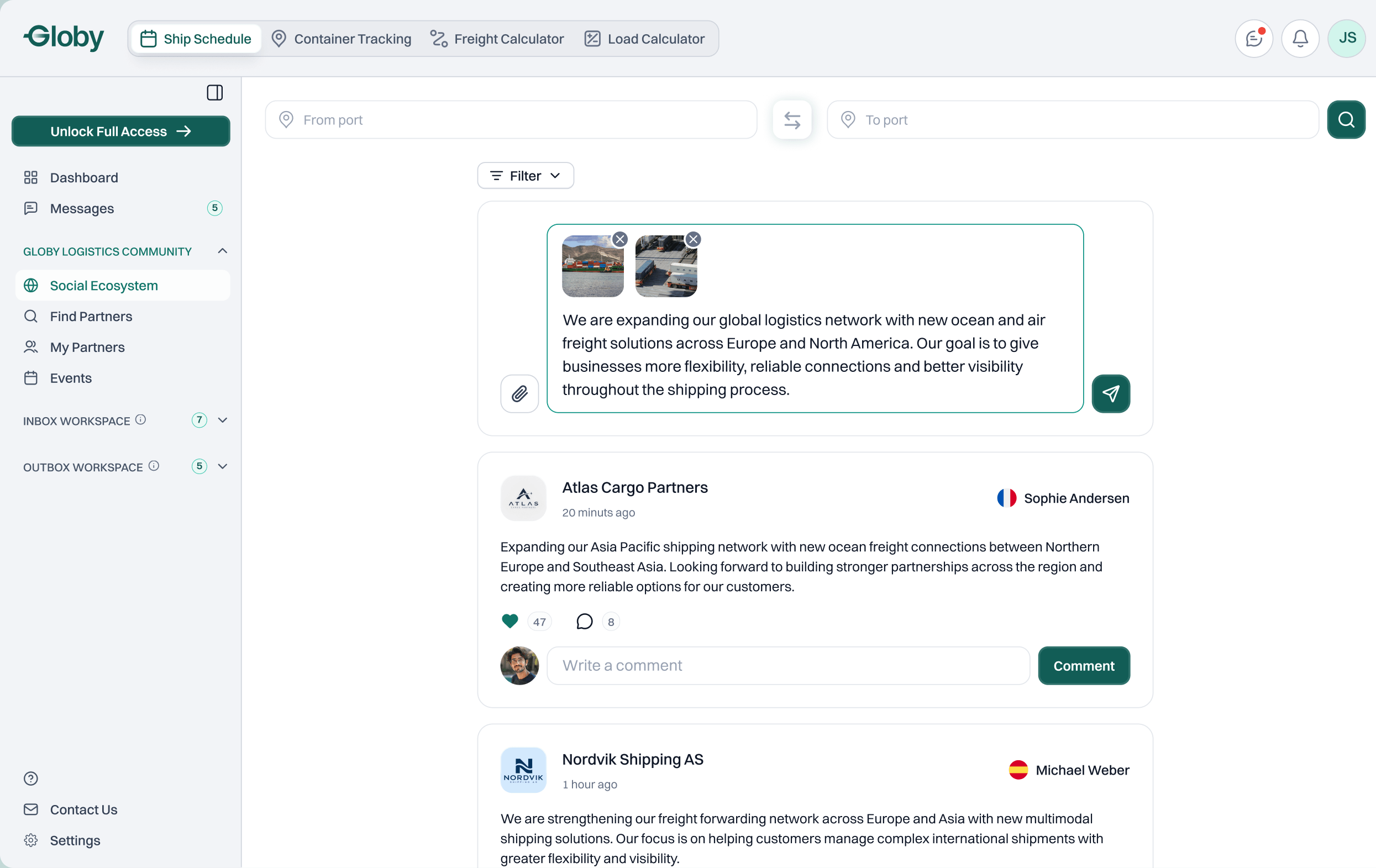
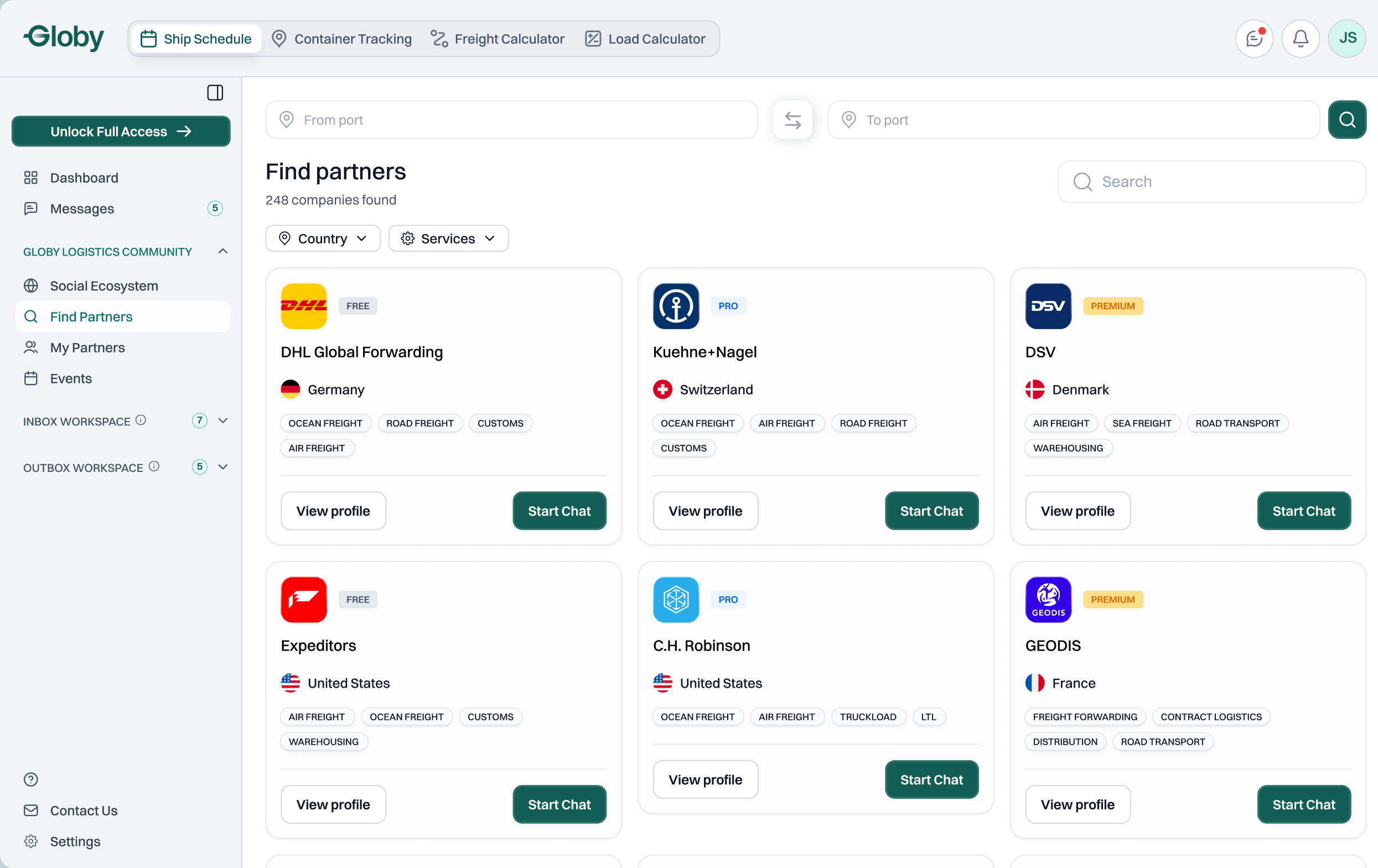
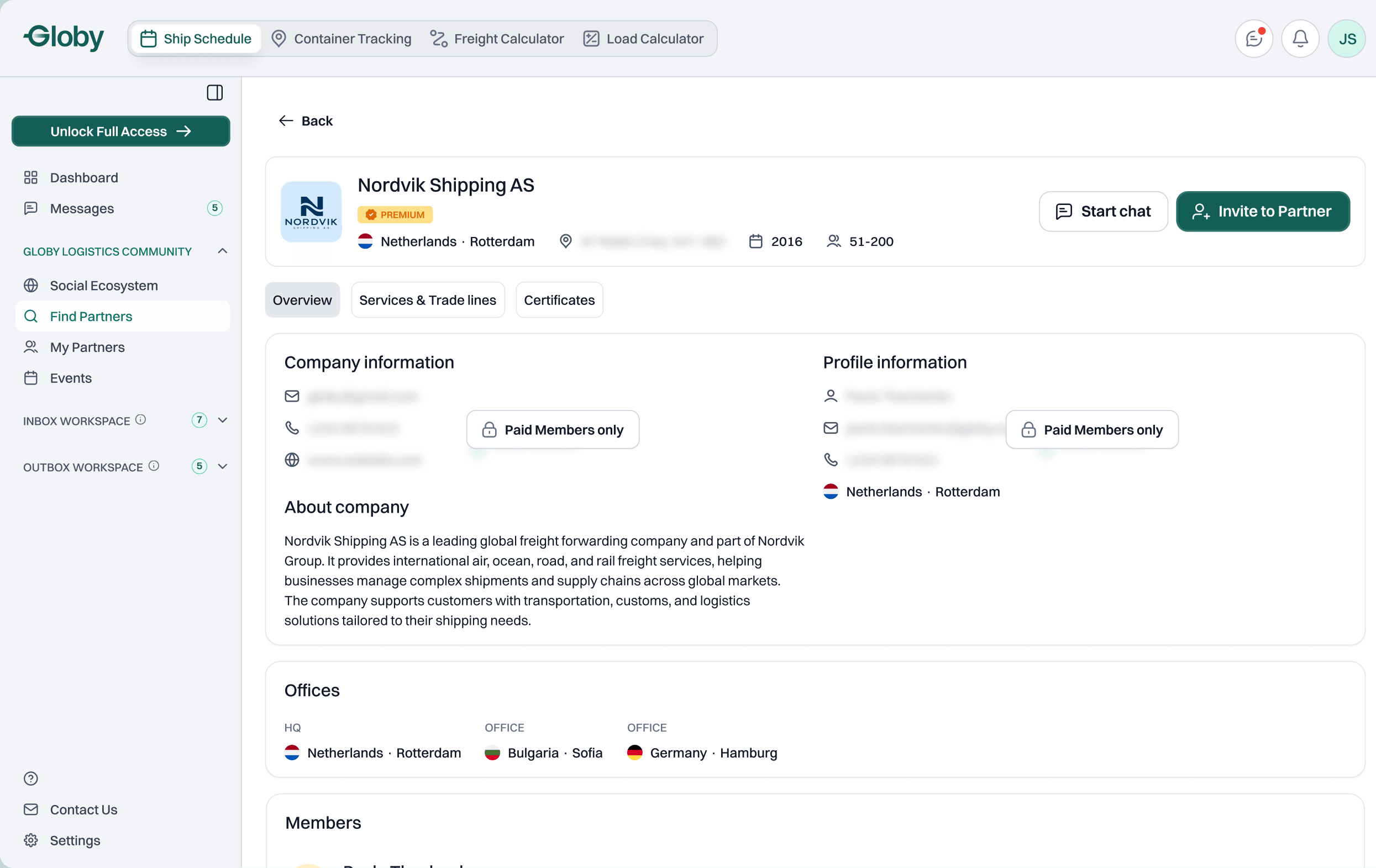
Community
Where companies meet before they trade. Everything sits in the same account as requests and quotes.
01Social Ecosystem
Companies post news with photos, and others like and comment.
[ Before / after ]
From the first version to the new brand
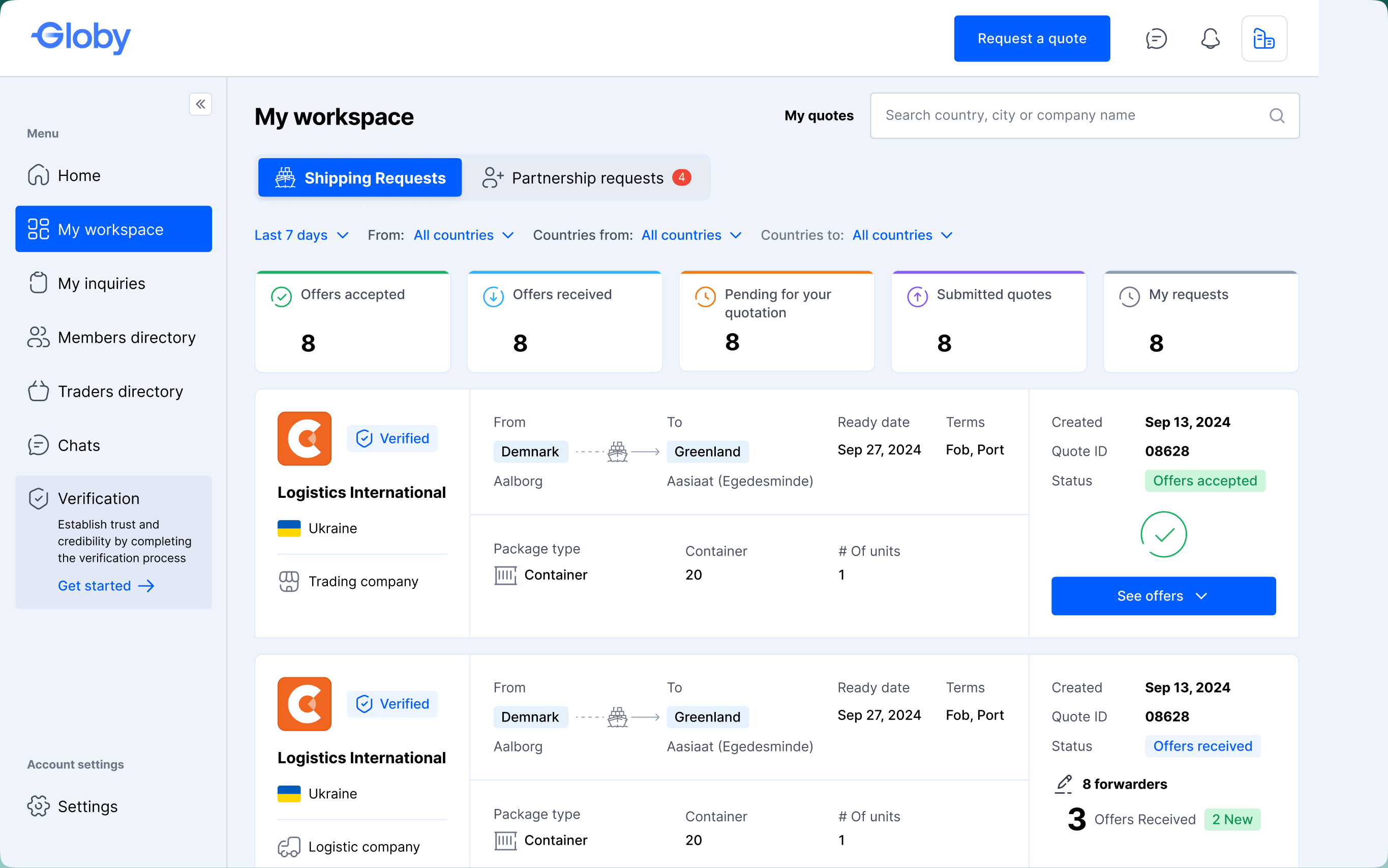
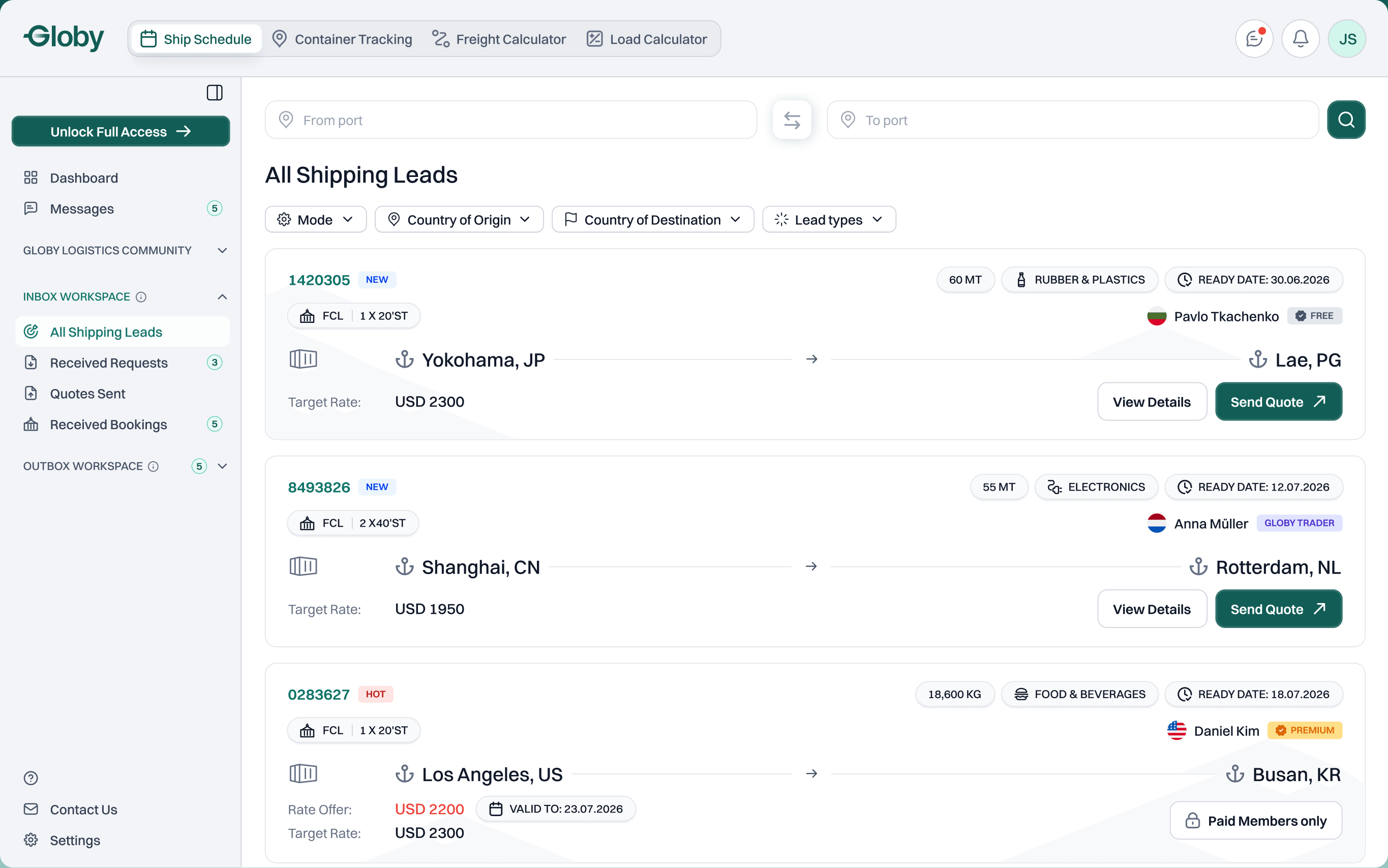
I designed the first version of the platform a few years ago. Later Globy changed its whole brand, and the logistics platform changed with it, far beyond a new look.
Navigation was rebuilt around three workspaces, dense tables became route-first cards, the whole deal became visible from Under Review to Pre-Booked, and access levels were built into every screen. The product also gained many new features: Find Partners, My Partners, Events, HOT leads, admin review and pre-booking.
[ Outcome ]
Release 1.0 is live, on desktop and mobile
300+ screens handed off, each with a mobile version. Two complete flows joined by one deal, and the public landing page.
- Launch first, polish later. We spent many rounds perfecting the header and sidebar before launch. For the next MVP I would ship a good-enough frame and refine it on real usage.
- Design the deal, not the page. A request is one object two companies see from opposite sides, so statuses became their shared language.
- Components carry the scale. Every status and access level lives in shared components, so 300+ screens stay consistent on desktop and mobile.
I worked with Alona for about a year on the Globy Logistics project, where she reported directly to me in my role as Senior Product Manager.
Alona is a responsible, professional Product Designer with a strong product vision and a clear sense of what good UI/UX should be.
She designed the flows that guide users through the Globy ecosystem and its freight forwarder network, from RFQ creation, quoting and shipping leads to booking approval, as well as the social features: posts, the partner directory and events. Her work made a complex product easy to understand.
I would recommend Alona to any company looking for a designer with product vision and great attention to detail.
 Alla KyrnychanskaSenior Product Manager, Globy